Introduction
In industrial automation, speed and reliability are critical for maintaining smooth production. Whether you’re controlling a conveyor system, packaging machine, pharmaceutical process, or water treatment plant, your PLC (Programmable Logic Controller) must continuously monitor inputs, execute logic, and control outputs without delay.
One of the most important factors affecting PLC performance is Scan Time.
Although many beginners learn PLC programming, they often overlook scan time until they experience slow machine response, communication delays, or inconsistent operation.
Understanding PLC scan time helps engineers design faster, more reliable, and more efficient automation systems.
In this guide, we’ll explain what PLC scan time is, how it works, what affects it, and how to optimize it for better machine performance.
What is PLC Scan Time?
PLC scan time is the total time required for a PLC to complete one full execution cycle.
During each cycle, the PLC:
- Reads all input signals.
- Executes the user program.
- Updates all output signals.
- Performs communication and internal housekeeping tasks.
Once these steps are completed, the PLC immediately starts the next scan cycle.
This process repeats continuously while the PLC is in RUN mode.
PLC Scan Cycle
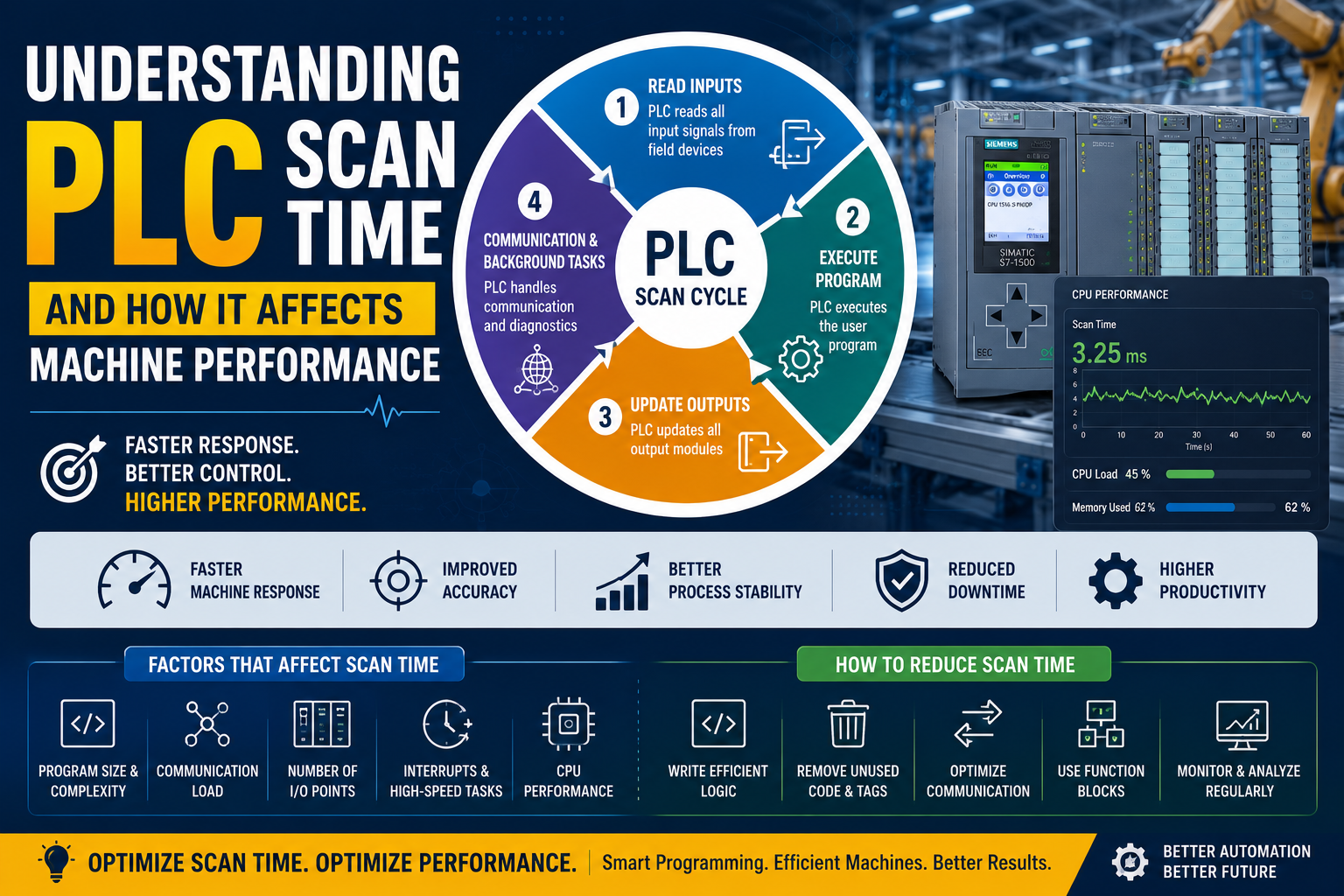
A typical PLC scan cycle consists of four stages:
1. Read Inputs
The PLC reads the status of all connected field devices such as:
- Push buttons
- Proximity sensors
- Limit switches
- Temperature sensors
- Pressure transmitters
The input values are copied into the PLC’s input memory.
2. Execute Program
The CPU executes the PLC program line by line.
It processes:
- Logic instructions
- Timers
- Counters
- Comparisons
- Mathematical calculations
- Function blocks
- Data movement
This is usually the most time-consuming part of the scan.
3. Update Outputs
After processing the logic, the PLC updates all output modules.
Examples include:
- Motors
- Solenoid valves
- Contactors
- Pumps
- Indicator lamps
Outputs change only after the program execution is complete.
4. Communication & Background Tasks
Finally, the PLC performs additional operations such as:
- HMI communication
- SCADA communication
- Industrial networking
- Diagnostics
- Memory management
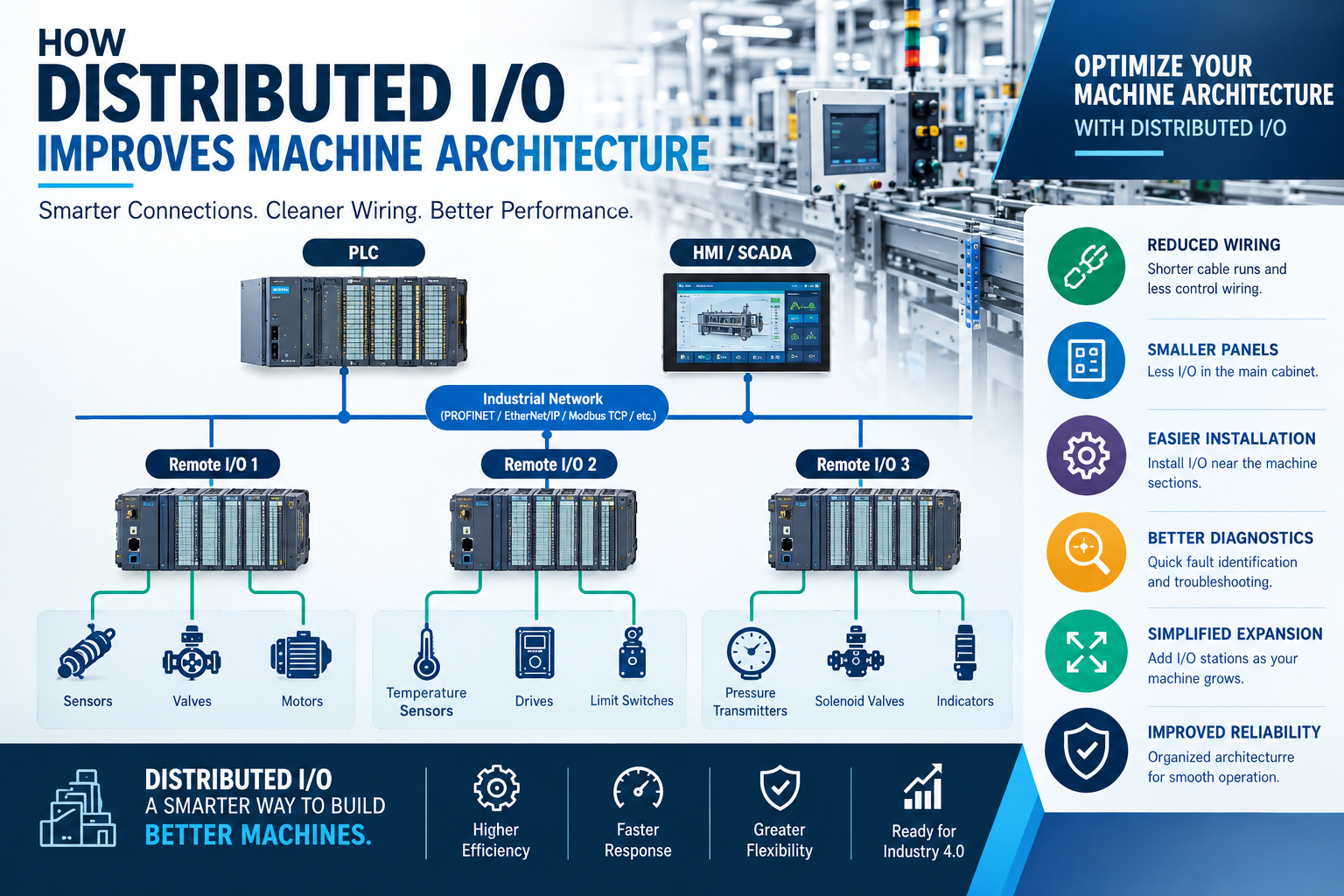
- Communication with remote I/O
After these tasks, a new scan begins.
Why is PLC Scan Time Important?
Scan time directly affects machine performance.
A faster scan time means:
- Faster machine response
- Better process control
- Higher accuracy
- Improved productivity
A slower scan time may result in:
- Delayed outputs
- Missed input signals
- Communication lag
- Reduced machine performance
Example of PLC Scan Time
Suppose a push button is pressed.
The PLC will:
- Detect the input during the next scan.
- Execute the logic.
- Turn ON the motor output.
- Update the output module.
If the scan time is 5 milliseconds, the response is almost instantaneous.
If the scan time increases significantly because of poor programming or excessive communication, the machine response becomes noticeably slower.
Factors That Affect PLC Scan Time
1. Program Size
Large PLC programs require more processing time.
Programs with thousands of logic instructions naturally increase scan time.
Best Practice
- Keep programs modular.
- Remove unused logic.
- Eliminate duplicate instructions.
2. Complex Logic
Instructions such as:
- Loops
- Large mathematical calculations
- String handling
- Data processing
consume more CPU resources.
Recommendation
Use only the logic required for the application.
3. Communication Load
Modern PLCs continuously communicate with:
- HMIs
- SCADA systems
- Remote I/O
- Variable Frequency Drives (VFDs)
- OPC UA servers
- MES systems
Heavy communication traffic increases scan time.
Solution
Optimize communication intervals and transfer only the required data.
4. Number of I/O Points
The more digital and analog I/O modules connected, the more time the PLC needs to read and update them.
Large automation systems generally have longer scan times than smaller systems.
5. Interrupts and High-Speed Tasks
Many PLCs support:
- High-speed counters
- Interrupt routines
- Motion control
- PID control
These tasks can affect the normal scan cycle if not configured properly.
6. CPU Performance
Modern PLC processors execute programs much faster than older controllers.
A high-performance PLC can execute complex programs while maintaining low scan times.
How Scan Time Affects Machine Performance
Faster Machine Response
Short scan times allow motors, valves, and actuators to respond quickly.
Improved Accuracy
Fast scan cycles improve:
- Position control
- Motion control
- Packaging accuracy
- Filling operations
Better Process Stability
Stable scan times provide smoother process control, especially in continuous manufacturing.
Reduced Production Errors
Delayed processing may cause:
- Missed sensors
- Incorrect sequencing
- Product defects
Optimized scan times help prevent these issues.
Common Problems Caused by High Scan Time
When scan time becomes excessive, industries may experience:
- Slow machine response
- Delayed alarms
- Communication issues
- HMI lag
- SCADA update delays
- Inconsistent machine operation
- Missed fast input signals
These symptoms are often mistaken for hardware faults, even though the real issue is program performance.
How to Reduce PLC Scan Time
Write Efficient Logic
Avoid unnecessary instructions and duplicate code.
Use Function Blocks
Reusable function blocks simplify programs and improve maintainability.
Remove Unused Tags
Delete obsolete variables and unused logic.
Optimize Communication
Avoid transferring unnecessary data between PLC, HMI, and SCADA.
Execute Only Required Calculations
Perform complex calculations only when needed instead of every scan.
Upgrade CPU When Necessary
If the application has expanded significantly, upgrading to a faster PLC CPU may be the most effective solution.
How to Monitor PLC Scan Time
Most modern PLC software displays the current scan time.
Examples include:
- Siemens TIA Portal
- Studio 5000
- GX Works3
- EcoStruxure Control Expert
Monitoring scan time helps engineers detect performance issues before they affect production.
Best Practices for Optimizing PLC Performance
- Keep programs well organized.
- Use meaningful tag names.
- Add comments for readability.
- Divide programs into function blocks.
- Minimize unnecessary communication.
- Archive unused logic.
- Monitor CPU load regularly.
- Test performance after program modifications.
Conclusion
PLC scan time is one of the most important factors affecting machine performance.
Every scan cycle includes reading inputs, executing the control program, updating outputs, and performing communication tasks.
By understanding scan time and following good programming practices, engineers can build automation systems that are faster, more reliable, and easier to maintain.
Optimizing PLC scan time leads to:
- Faster machine response
- Better production quality
- Reduced downtime
- Improved troubleshooting
- Higher operational efficiency
Whether you’re a beginner learning PLC programming or an experienced automation engineer, understanding scan time is essential for designing high-performance industrial control systems.
Frequently Asked Questions (FAQs)
1. What is PLC scan time?
PLC scan time is the time required for a PLC to read inputs, execute the user program, update outputs, and complete background tasks before starting the next cycle.
2. Why is PLC scan time important?
It directly affects machine response, control accuracy, communication performance, and overall production efficiency.
3. What increases PLC scan time?
Large programs, complex logic, excessive communication, many I/O points, interrupt routines, and slower CPUs can all increase scan time.
4. How can I reduce PLC scan time?
Optimize program logic, remove unused code, reduce unnecessary communication, use modular programming, and upgrade the CPU if required.
5. How do I check PLC scan time?
Most PLC programming software, such as Siemens TIA Portal, Studio 5000, GX Works3, and EcoStruxure Control Expert, provides CPU diagnostics that display the current scan time.